

TeraVision

Our own video surveillance range, built on CCTV experience dating back to 1990.

35+Years CCTV experience
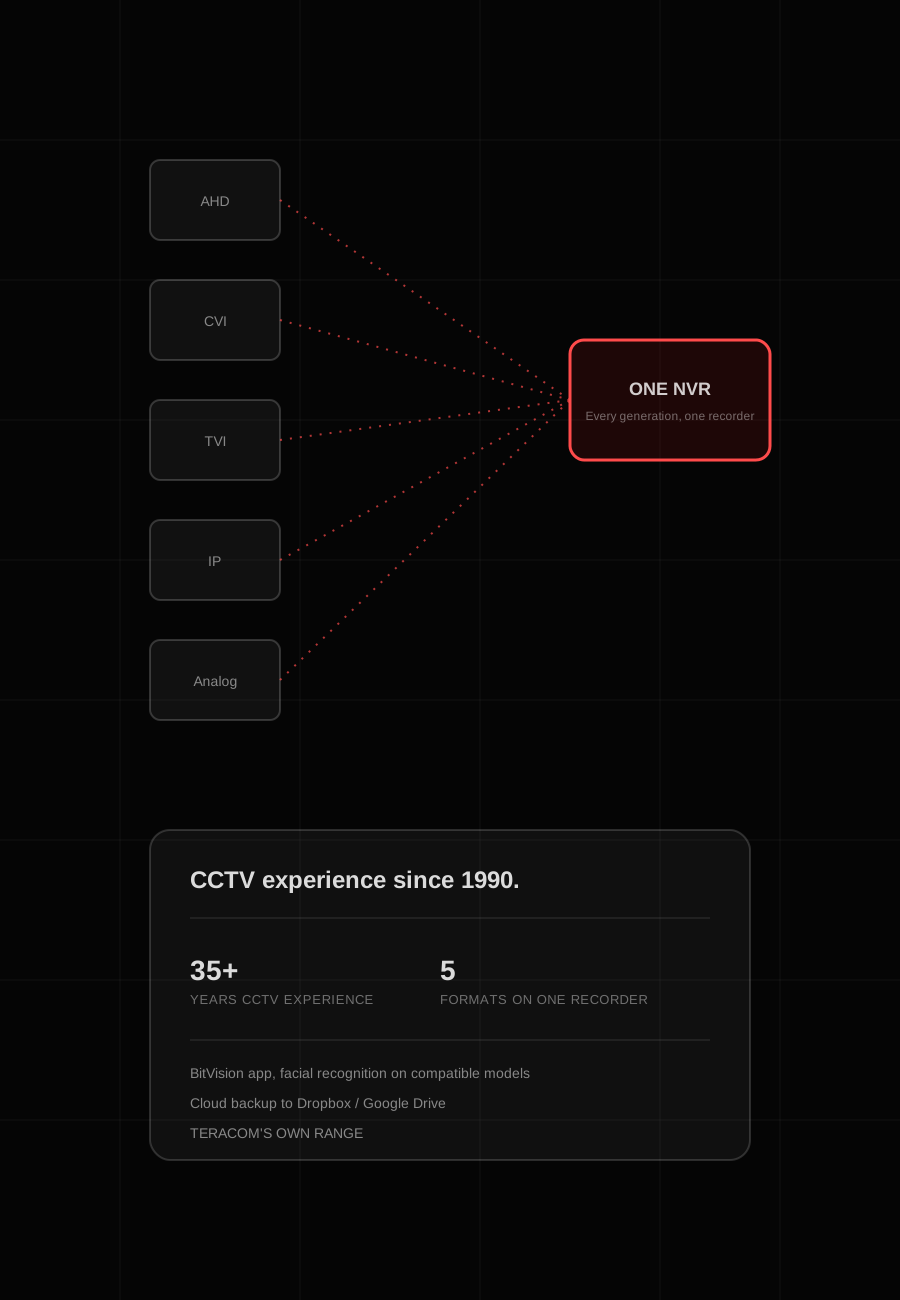
5Formats on one recorder
NVR or XVRLocal storageFive input formatsBitVisionPhone appLive view and playbackFace matchFront entryCar parkTeraVisionCloud backup on
35+years of Teracom CCTV work in Australia, since 1990
5 formatsAHD, CVI, TVI, IP and analogue on the one recorder
BitVisionapp for live view and playback from a phone
Dropboxor Google Drive cloud backup alongside local recording
Two families

IP cameras on NVRs, coax cameras on XVRs

TeraVision comes in two families that share the same app and client software. Which one suits depends on the cabling already in the building, how many cameras are needed and how far the system has to grow.

NVRSite networkIP cameras to the NVRFisheyePTZIndoorOutdooriVMS320Each IP camera joins the network and records to the NVR
Network video

IP cameras and NVRs

IP cameras connect over the site network and record to a TeraVision NVR. It is the natural choice for new buildings and for systems that will keep growing, from a small business up to enterprise-scale CCTV.

  • Fisheye, PTZ, indoor and outdoor IP cameras
  • NVRs for local recording on site
  • Facial recognition on compatible models
  • Viewed in iVMS320 on a PC or Mac, or BitVision on a phone
5 input formatsAHD cameraCVI cameraTVI cameraIP cameraXVROne recorderOld and new cameras mixedKeeps coax runsAdd IP over timeKeeps analogue
Mixed fleets

HD-over-coax and XVRs

The XVRs take HD-over-coax cameras alongside IP and older analogue cameras on the one recorder. A site with coax already in the walls can keep it and change cameras when it suits, instead of replacing the whole fleet at once.

  • Records AHD, CVI, TVI, IP and analogue cameras
  • Re-uses coax cabling already in place
  • Upgrade a few cameras at a time
  • Same BitVision app and iVMS320 software as the IP family
Features

What the range actually does

TeraVision sticks to the features our customers use day to day: watching from anywhere, picking out faces, keeping a second copy of the footage, and getting a site set up quickly.

BitVisionCam 2 liveFront entranceToday, 9:41 amLive viewPlaybackCam 1Car parkCam 2Front entranceCam 3Stock room

Remote viewing with BitVision

BitVision puts live view and playback on a phone, so an owner can check the shop or the house from anywhere and look back at what happened without going to the recorder.

Face at front entrance vs enrolled list1 matchMatchStaff member 04Staff member 11Contractor 02Unknown visitorA face at the camera is checked against an enrolled list

Facial recognition

Compatible TeraVision models include facial recognition, so faces at an entrance or a counter can be picked out and checked rather than simply recorded.

TeraVision NVR or XVRLocal recording on siteDropbox or Google DriveBackup copy in the cloudBitVision appPlayback from a phoneplaces footage is kept2Cloud or localRecorder on siteDropbox backupGoogle Drive backupFootage is not left relying on a single recorder

Cloud or local, your choice

Footage records locally, and TeraVision can also back it up to Dropbox or Google Drive. A second copy off site means the footage does not rest on one recorder that could fail or be taken.

iVMS320 clientCameras online12Recorders2Cloud backupOnOffline0Activity this weekLatestFace match: entranceBackup to DropboxPlayback: Cam 3Cam 9 back online

iVMS320 on a PC or Mac

At a desk, iVMS320 client software on a PC or Mac connects to TeraVision recorders and cameras for viewing and playback. It suits a reception, an office or a security room where a bigger screen helps.

FisheyeEntranceCounterStock roomCar parkPTZ yardFisheye, PTZ, indoor and outdoor placed

A camera for each spot

The range covers fisheye, PTZ, indoor and outdoor cameras. A fisheye can take in a whole open room, a PTZ can be steered and zoomed across a yard or car park, and fixed cameras cover doors, counters and driveways.

IP search: TeraVision devices on this LAN6 foundXVR, comms roomCam 1, car parkNew PTZ, yardCam 4, entranceEvery product line also ships with a quick-start guide and manual

Quick to find, quick to set up

The IP search tool in iVMS320 lists the TeraVision recorders and cameras on a network, so they can be found and set up without hunting for addresses. Every product line also comes with its own quick-start guide and user manual.

The range

What TeraVision includes

Cameras

  • Fisheye
  • PTZ
  • Indoor
  • Outdoor
  • Facial recognition on compatible models

Recorders

  • NVRs for IP cameras
  • XVRs for HD-over-coax, IP and analogue cameras
  • Local recording, with cloud backup to Dropbox or Google Drive

Supported formats

  • IP
  • AHD
  • CVI
  • TVI
  • Analogue

Software and guides

  • BitVision app for phones
  • iVMS320 client for PC or Mac
  • IP search tool for finding devices
  • Quick-start guide and user manual for every product line
How it fits together

A Teracom TeraVision system, end to end

ON SITERECORDINGPEOPLEIP camerasIndoor and outdoorHD-over-coaxAHD, CVI and TVIAnalogue camerasExisting coax runsTeraVision NVRRecords IP camerasTeraVision XVRMixed-format recordingCloud backupDropbox, Google DriveOwnersBitVision on a phoneFront deskiVMS320 on PC or MacTeracomInstall and supportCameras of every generation record on site, back up to the cloud and are viewed on a phone or a PC

IP cameras record to a TeraVision NVR, and mixed coax and IP fleets to an XVR, with a backup copy in Dropbox or Google Drive. Owners watch on BitVision, the front desk uses iVMS320, and Teracom looks after the system.

Where we put it to work

  • Retail shops
  • Small businesses
  • Offices
  • Warehouses
  • Car parks and yards
  • Homes
  • Schools
  • Multi-site businesses
Teracom and TeraVision

What Teracom does with TeraVision

  1. Design

    Camera types and positions planned from the site drawings, with an NVR or XVR chosen to suit the cabling already there and storage sized before anything is ordered.

  2. Supply

    TeraVision is our own range, so cameras and recorders come straight from Teracom, chosen to work together and matched to the job.

  3. Install and commission

    Cameras mounted, cabled and aimed, recorders set up with cloud backup, and BitVision and iVMS320 connected for the people who will use them.

  4. Support

    Because it is our own range, questions and faults come back to the team that chose and installed it, with maintenance to keep the system healthy.

Why choose TeraVision

CCTV experience since 1990, built into every camera.

Any Camera, One Recorder

Supports AHD, CVI, TVI, IP and analog inputs on the one recorder, so a mixed-generation camera fleet doesn't need replacing all at once.

Remote by Default

The BitVision app gives remote viewing and playback from a phone, with facial recognition on compatible models.

Cloud or Local, Your Choice

Cloud backup to Dropbox or Google Drive alongside local storage, so footage isn't reliant on one single point of failure.

Installer-Friendly

Every product line ships with its own quick-start guide and user manual, plus an IP search tool in iVMS320 to find devices on a network fast.

TeraVision is our own video surveillance range, covering IP and HD-over-coax cameras, NVRs and XVRs, built for everything from small business installations through to enterprise-scale CCTV. We've been working in the electronic security, automation and CCTV industry in Australia since 1990, and that experience shapes the TeraVision range -- cameras and recorders that support AHD, CVI, TVI, IP and analog inputs on the one recorder, so a mixed-generation camera fleet doesn't need to be replaced all at once.

The range is supported by the BitVision app for remote viewing and playback from a phone, facial recognition on compatible models, and cloud backup to Dropbox or Google Drive alongside local storage. Recorders and cameras connect through iVMS320 client software on PC or Mac, with an IP search tool to find devices on a network, and every product line -- fisheye, PTZ, indoor and outdoor cameras -- comes with its own quick-start guide and user manual to make installation straightforward for installers and end users alike.

TeraVision product imagery

Interested in TeraVision products?

Visit the Teracom Store for current stock, pricing and availability.

Visit the Store